
MetaTrader 5 App
Elevate your trading experience with the next-generation MT5 mobile app.
Download MetaTrader 5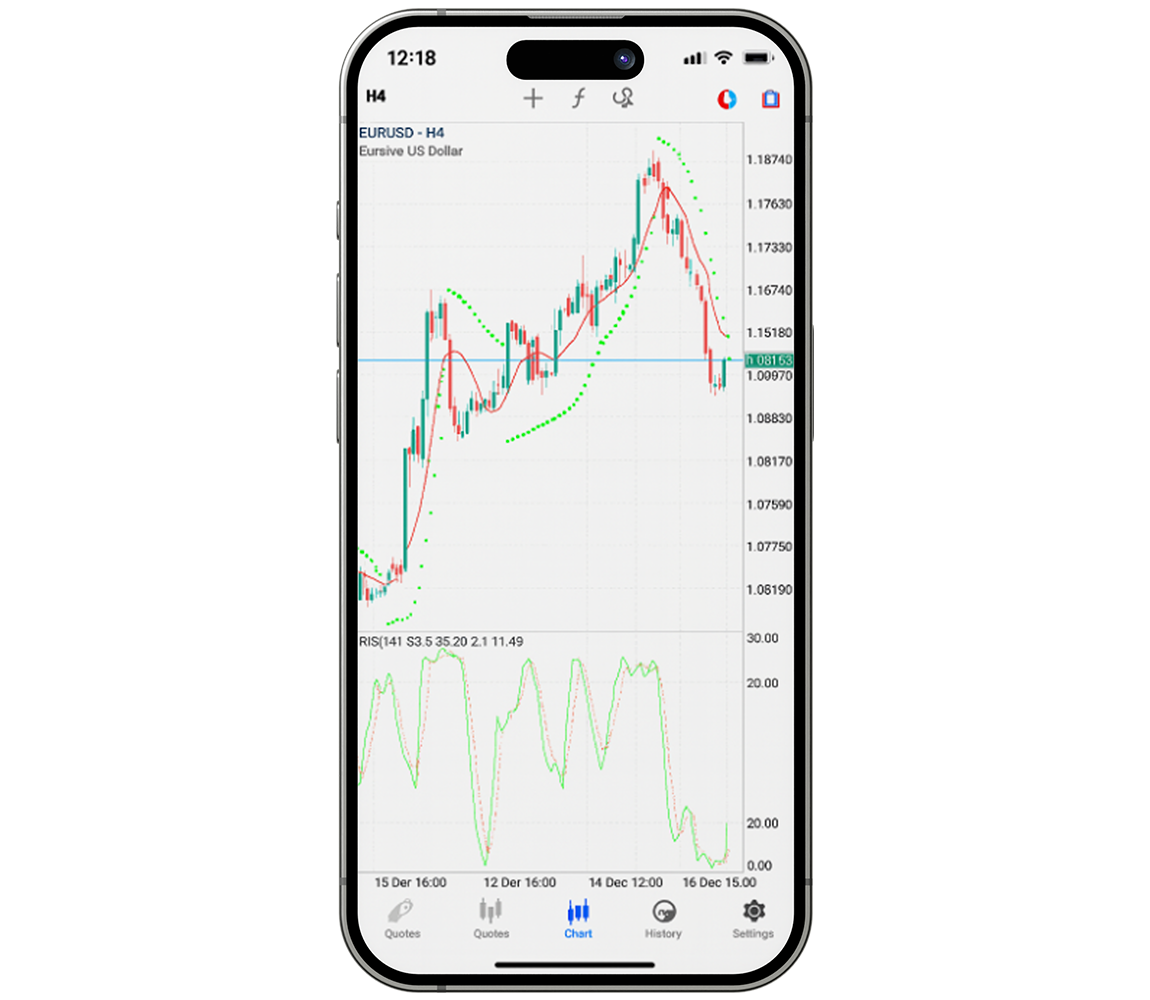
MT5 Mobile App
Everything you need for sophisticated trading in one powerful, portable app. Install MetaTrader 5 on iOS or Android and access diverse markets with real-time strategy execution. Discover the advantages of trading through MT5 for yourself.
All the features you need with MT5 mobile
Take your CFD trading further with the MetaTrader 5 App—advanced tools and improved capabilities for every style and strategy, wherever you are.
MetaTrader 5 Mobile Features
Advanced mobile tools built to enhance your trading experience on the go.
Fast, Easy Trading
News & Push Alerts
Complete Order Suite
Full Instrument Access
Comprehensive Analysis
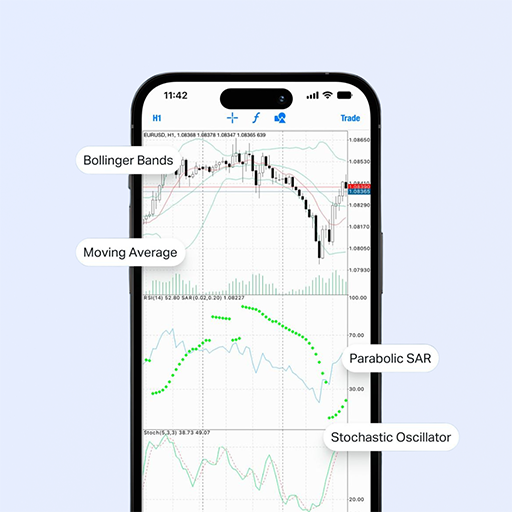
MetaTrader remains the preferred platform for seasoned traders, offering 40+ built-in customizable indicators and an economic calendar. Nearly every chart element can be tailored to your preferences, with virtually unlimited indicator combinations.
3 Types of Charts
Use bar charts, Japanese candlesticks, and line charts to inform your trading decisions.
Download MT5- 01.
Built-in Technical Analysis
Study the markets and refine your approach with 30 leading indicators and 24 analytical objects.
Get Started- 02.
9 Timeframes
Choose from M1, M5, M15, M30, H1, H4, D1, W1, and MN timeframes to match your trading approach.
Start Trading- 03.
Access All Instruments
Trade every available instrument on the MetaTrader 5 App for iOS and Android—CFDs on forex, stocks, indices, commodities, and crypto.
Learn More- 04.
Frequently Asked Questions
Answers to the most common questions about the MetaTrader 5 mobile app and its features.
Can I manage my account and make deposits and withdrawals through the MetaTrader 5 App?
The MT5 App is dedicated to trading only. For account management, deposits, withdrawals, and trade execution in one place, use our proprietary trading app, which combines full account controls with trading functionality.
Can I use MetaTrader 5 App credentials to log into MetaTrader 4?
No—MetaTrader 5 login credentials cannot be used on MetaTrader 4. Account details are tied to the platform they were issued for and will not work on any other trading terminal.
What trading instruments can I access on the MT5 mobile app?
The MetaTrader 5 App for iOS and Android gives you access to the full instrument range—CFDs on forex, stocks, indices, commodities, and crypto. From Market Watch, track live prices, spreads, and more for every available CFD.
What chart types are available in the MT5 mobile app?
The MetaTrader 5 mobile app supports three chart types: bar charts, Japanese candlesticks, and line charts. Most chart settings can be customized to suit your analysis and help guide your trades.
What timeframes are available in the MT5 mobile app?
The MetaTrader 5 mobile app offers nine timeframes: M1, M5, M15, M30, H1, H4, D1, W1, and MN. Whether you scalp, day trade, or swing trade, you can select the timeframe that fits your style.
What technical analysis tools are available in the MT5 mobile app?
The MetaTrader 5 mobile app includes 40+ built-in customizable indicators and an economic calendar. Plan your strategy with 30 leading indicators and 24 analytical objects—the possible indicator combinations are virtually limitless for thorough market analysis.
Have Questions? Get in touch!
Our support team is here to assist with any questions about the MetaTrader 5 mobile app, platform features, or getting started with mobile trading.
Contact usFollow Strategies from Proven Traders.
Build your portfolio by mirroring established strategies and unlocking greater long-term potential.